

Vida Solutions Labs
Timer for Kimai
Start and stop timers, pick the right customer, project, and activity, and fix your recent entries on your own self-hosted Kimai server, straight from your browser toolbar. Least-privilege by design: no access to your browsing history, and nothing leaves your browser but calls to your own server.
Free. Works with any Kimai 2.x server. Privacy.
What it does
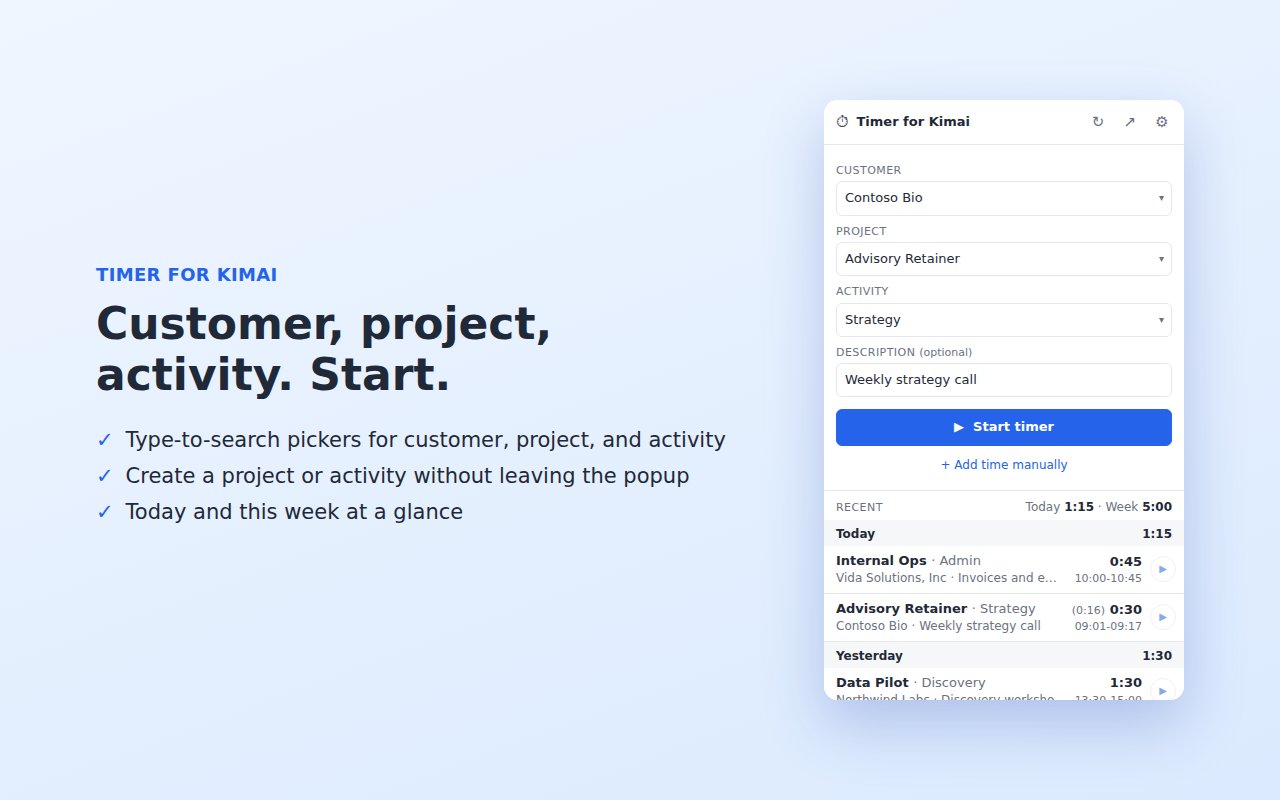
Customer, project, activity
Type-to-search pickers populated live from your server. Pick a project and its customer fills in; your last selection is remembered.
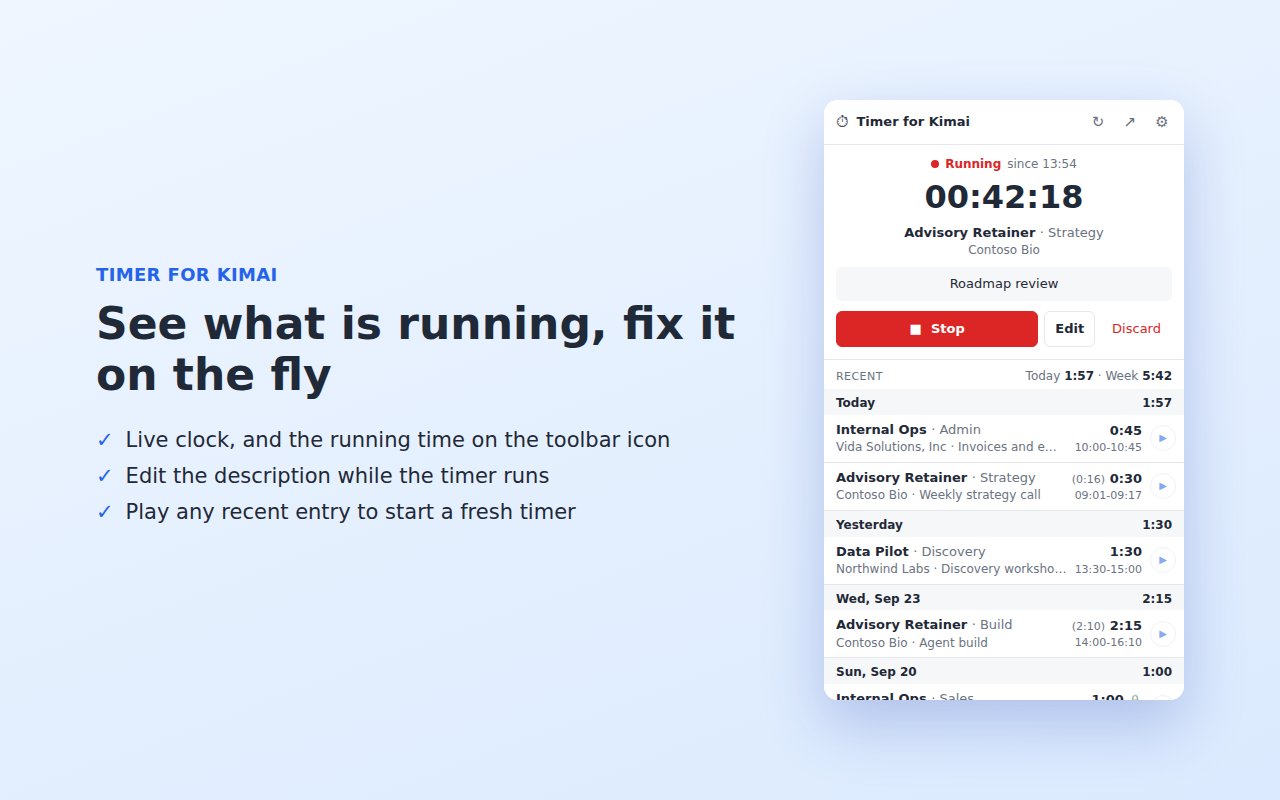
Start and stop from the toolbar
Start with Enter, stop with one click, or press play on any recent entry to start a fresh timer with the same details.
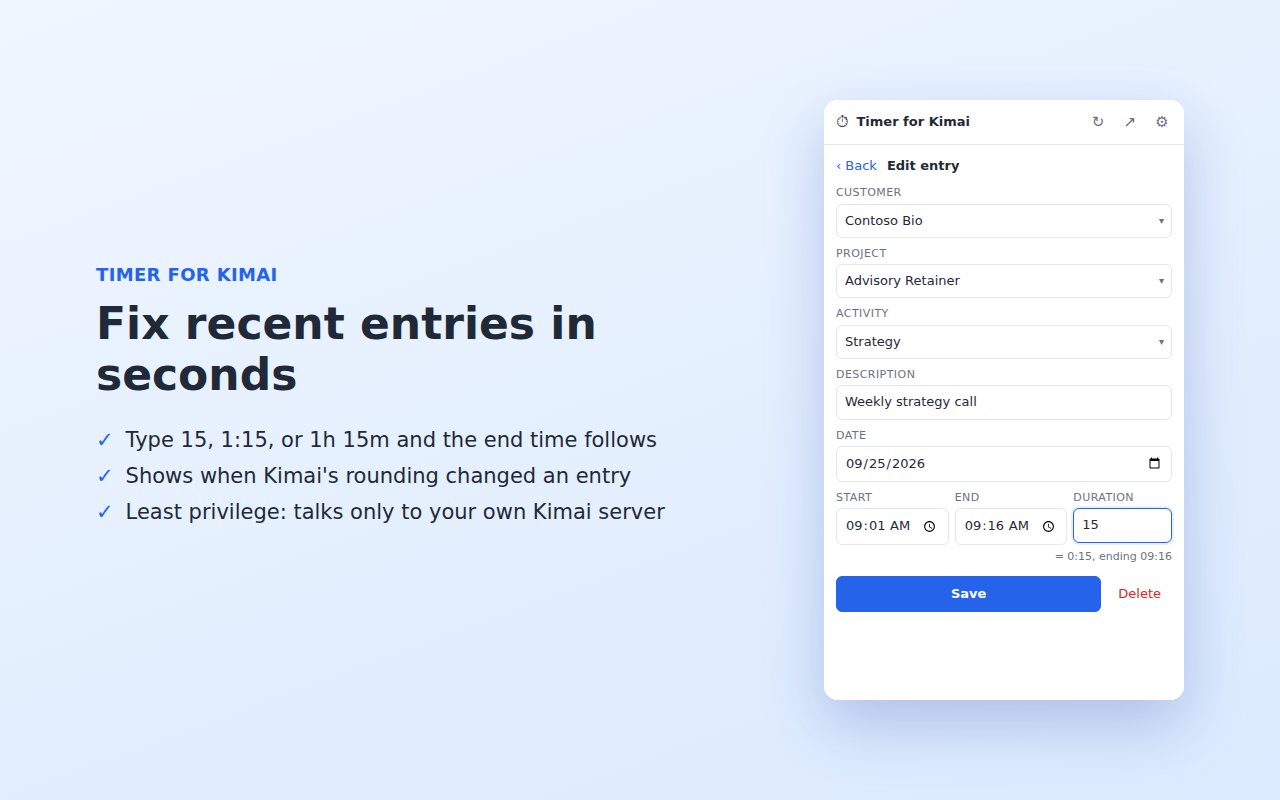
Fix recent entries in seconds
Your last seven days, grouped by day with today and week totals. Change the start, end, duration, or description: type 15, 1:15, or 1h 15m.
See when rounding changed your time
If your server rounds a stopped timer up, the popup says so and offers a one-click Adjust.
Create projects and activities
Add a project under a customer, or an activity under a project, right from the picker, if your Kimai role allows it.
Live time on the icon
The toolbar icon turns red with the running time while a timer runs, and green when idle. Alt+Shift+K opens the popup.
See it in action
Least-privilege by design
Most browser time-trackers ask for broad access, including your browsing history. This one does not. It is small, dependency-free, and readable, so you can audit every line.
- Requests only the
storageandalarmspermissions, plus access to the one Kimai server you enter, granted at runtime. - No access to your browsing history, your tabs, or any other website.
- Your server URL and API token stay in your browser and are sent only to your own Kimai server. No analytics, no telemetry, no third parties.
Set up in two minutes
- Create a token. In Kimai, open your avatar menu and create an API token under API access.
- Connect. Open the extension's Settings, enter your Kimai URL and the token, and approve access to that one server. That is it.
For teams
Run time tracking on your own terms
Per-seat time-tracking subscriptions add up fast as your team grows. Kimai is a capable open-source time tracker you can host yourself, so the cost stops scaling with every new seat. Vida Solutions, Inc. can stand up a self-hosted Kimai instance for your business, secure it, migrate your existing history, and keep it running, so you own your time data instead of renting it.
Kimai is a trademark of its respective owner. Timer for Kimai is an independent, unofficial tool and is not affiliated with, endorsed by, or sponsored by the Kimai project. Privacy policy.